A local business does not need a new video idea every day. A recorded walkthrough, service demonstration, owner FAQ, training explanation, or permissioned customer interview can already contain several useful moments for people deciding whether to visit, book, request a quote, or get in touch.
AI video repurposing helps turn that existing footage into shorter videos. The important work is not simply generating more clips. It is choosing one useful customer question or idea per clip, checking that each video makes sense on its own, adding accurate captions and framing, and giving nearby customers a clear next step.
This guide shows a practical weekly workflow for local businesses, including what to record, how to repurpose videos, how to keep clips locally relevant, where Reap fits, and how to measure enquiries instead of only views.
Quick Answer: What Does AI Video Repurposing Mean for a Local Business?
AI video repurposing means taking video you already own or have permission to use and turning it into additional formats or shorter pieces for other channels.
For a local business, the input might be:
- a service demonstration;
- an owner answering common questions;
- a property or venue walkthrough;
- a training explanation;
- a product demonstration;
- a permissioned customer interview;
- an existing YouTube video;
- several connected short answers recorded in one session.
The output might be:
- a short Instagram Reel;
- a YouTube Short;
- a TikTok video;
- a square social clip;
- a captioned FAQ video;
- a short product or service explanation;
- a translated-caption version for another audience.
A useful workflow is:
plan -> record -> upload -> generate candidate clips -> review -> correct captions -> reframe -> apply branding -> export or schedule -> measure
AI can speed up the draft production. A person should still approve the final message, captions, framing, prices, names, offers, permissions, and publishing decision.
What Is Video Repurposing?
Video repurposing is the process of taking an existing video asset and using it to create additional useful content.
For example, a 12-minute FAQ recording from a gym owner might contain separate answers to:
- What happens during a first session?
- Do beginners need prior training experience?
- What should someone bring?
- How long is a typical session?
- How should someone choose between personal training and group classes?
Instead of publishing only the full recording, the business can turn each strong answer into its own short video.
That is different from simply reposting the same file everywhere.
Good video repurposing changes the presentation to fit the new use case while preserving the original meaning.
You may need to:
- shorten the opening;
- remove an irrelevant setup;
- change the aspect ratio;
- add captions;
- choose a clearer title or hook;
- translate captions;
- add branding;
- change the call to action;
- write platform-specific publishing copy.
AI Video Repurposing vs AI Content Repurposing
The phrase AI content repurposing can include many formats: blog posts, newsletters, audio, images, presentations, and social posts.
This guide is narrower.
It focuses on video marketing for small business and how an existing recording can become additional short-form video assets.
That distinction matters because a local business usually does not need a complex content engine. It needs a manageable process for turning real business knowledge and footage into useful videos that answer customer questions.
Which Recordings Work Best for Local Businesses?
You do not need a professional studio.
The most useful source footage usually contains a real explanation, demonstration, walkthrough, or conversation.
Owner and Staff FAQs
Record answers to questions customers repeatedly ask before booking or buying.
Service Demonstrations
Show how part of the service works while someone explains what the viewer is seeing.
Walkthroughs
Walkthroughs can work well for properties, gyms, salons, clinics, restaurants, studios, showrooms, and venues.
Only extract ideas that are actually present in the recording.
Training or Educational Explanations
If you already train customers, staff, or clients using video, parts of that material may answer public questions too. Review the context before republishing internal footage.
Permissioned Customer Interviews
A genuine customer interview can provide testimonial or experience-based clips, but permission and context matter. Do not fabricate a testimonial or change the speaker's meaning.
What If You Do Not Have a Long Video?
You can still use the same repurposing idea.
Instead of forcing a short clip through a long-video workflow, record a batch of connected answers.
For example, a salon owner could spend 15 minutes answering:
- What should I do before my first appointment?
- How long does the service take?
- What aftercare matters most?
- Who is a good fit for the service?
- What is the most common misconception?
Those answers can be recorded in one session and then edited as individual videos.
You do not need a 60-minute podcast to start repurposing video content.
A Repeatable AI Video Repurposing Workflow
1. Choose One Business Goal
Before recording, decide what the content should help the viewer do.
Examples:
- understand a service;
- decide whether to book;
- compare two options;
- prepare for an appointment;
- understand a property feature;
- learn a safe maintenance tip;
- find the next step.
2. Record Useful Source Footage
Use the highest-quality source you reasonably can. Aim for clear speech, useful lighting, a stable image, minimal background noise, and enough room around the subject for vertical reframing.
3. Upload the Video and Configure the Output
With Reap AI Clipping, you can upload a source video or use a supported source link and generate candidate clips.
Choose settings that match the intended output, such as portrait or square framing, caption style, clip duration, active-speaker tracking, or a target translation language.
The generated clips are starting points for review.
4. Review the Selected Moment
Ask:
- Does the clip answer one clear question?
- Does it start with enough context?
- Is the opening understandable without the original long video?
- Does the ending complete the thought?
- Is anything misleading because of the cut?
- Does the clip still represent what the speaker meant?
5. Correct Captions and On-Screen Text
Automatic captions save time, but review names, business names, locations, prices, dates, percentages, product names, technical terms, and meaning-changing words.
For a deeper Instagram workflow, see our guide on how to add captions to Instagram Reels.
6. Reframe the Video for the Destination
Check that reframing does not hide a speaker, product, service detail, property feature, or demonstration.
7. Apply Consistent Branding
With Reap Brand Templates, you can save reusable visual settings for supported projects rather than rebuilding the same treatment each time.
Do not assume that merely uploading a logo automatically applies it to every future video. Select the appropriate Brand Template for the project.
8. Add Local Context and One Clear Next Action
Useful local context might include the actual neighbourhood, service area, branch, property location, or a current local offer.
Then give the viewer one next action, such as:
- View this week's menu.
- Book an introductory session.
- Check consultation availability.
- Arrange a viewing.
- Request an assessment.
9. Export or Schedule the Finished Clip
After review, export the clip or schedule it to supported connected social accounts.
Reap's social media scheduler can help with repeatable distribution once accounts are connected and a destination is selected.
10. Measure the Business Result
Views matter, but local businesses should also measure what happens after the view.
A clip that reaches fewer people but generates qualified enquiries may be more valuable than a high-view clip with no business outcome.
Local Business Video Marketing Examples
The examples below are scenarios, not customer case studies or promised results.
|
Business |
Source recording |
Useful short clip |
Local detail |
Example next action |
|---|---|---|---|---|
|
Restaurant |
Chef explains three dishes and shows preparation |
What makes one dish different |
Genuine branch or neighbourhood |
View this week's menu |
|
Gym |
Trainer answers common beginner questions |
What to expect at a first session |
Actual studio location |
Book an introductory session |
|
Salon |
Stylist narrates a service and aftercare |
One practical maintenance tip |
Branch and service availability |
Check consultation availability |
|
Real estate |
Agent narrates a property walkthrough |
One feature and its practical benefit |
Accurate neighbourhood and listing details |
Arrange a viewing |
|
Home services |
Technician explains a common maintenance issue |
One safe preventative tip |
Actual service area |
Request an assessment |
Restaurant Example
Suppose a chef records a six-minute explanation of three dishes.
Do not force that recording into an arbitrary number of clips.
Instead, look for complete moments such as:
- why one dish is prepared differently;
- what ingredient gives it a particular flavour;
- what someone ordering for the first time should know;
- what is available at the specific branch shown.
A useful clip might end with:
"If you're visiting our [actual location], you can check this week's menu before you come in."
Only use that location if it is accurate.
Gym Example
A trainer records beginner FAQs.
One clip could answer:
"What happens during your first personal-training session?"
That is more useful than a generic motivational clip.
The call to action could be:
"If you train at our [actual studio], check introductory-session availability."
Salon Example
A stylist explains a service and aftercare.
One clip could focus on:
"The first thing to avoid for 24 hours after this treatment."
Keep the advice accurate and avoid implying that one recommendation applies universally if individual conditions matter.
Real Estate Example
An agent records a property walkthrough.
A useful short clip might focus on one practical feature:
"Why this kitchen layout works well for someone who entertains regularly."
Include accurate neighbourhood and listing information.
Do not manufacture a market-analysis clip unless market commentary was actually recorded.
Home Services Example
A technician explains a common maintenance problem.
One short clip could be:
"One safe check you can do before calling for an assessment."
Be careful not to encourage unsafe DIY work.
The next action might be:
"If the problem continues and you're inside our service area, request an assessment."
How to Make Short Videos Relevant to Nearby Customers
Local relevance is not created by stuffing a city name into every sentence.
A useful local video usually combines genuine business information with a relevant next step.
Mention the Actual Service Area When It Helps
A location reference can clarify who the video is for.
Examples:
- "At our Downtown branch..."
- "For homeowners we serve in..."
- "This listing is in..."
- "At our studio in..."
Do not add locations you do not serve.
Show a Recognizable Real Setting
Real footage can help viewers understand the business.
Examples:
- the actual restaurant;
- the real gym floor;
- the salon treatment area;
- a genuine property;
- the technician's actual equipment.
Avoid fake customer scenes presented as real experiences.
Keep Offers Current
If a clip mentions price, discount, availability, promotion, opening hours, or an event date, make sure it is still correct when the video is published.
Old clips can become misleading when business details change.
Local References Do Not Guarantee Local Distribution
Mentioning a neighbourhood does not guarantee that Instagram, YouTube, TikTok, or another platform will distribute the clip to people nearby.
It also does not guarantee a Google Maps or local-search ranking improvement.
Google explains that local search results are primarily based on factors such as relevance, distance, and prominence. See Google's local ranking guidance.
Use local references because they help the right viewer understand the content, not because they guarantee algorithmic targeting.
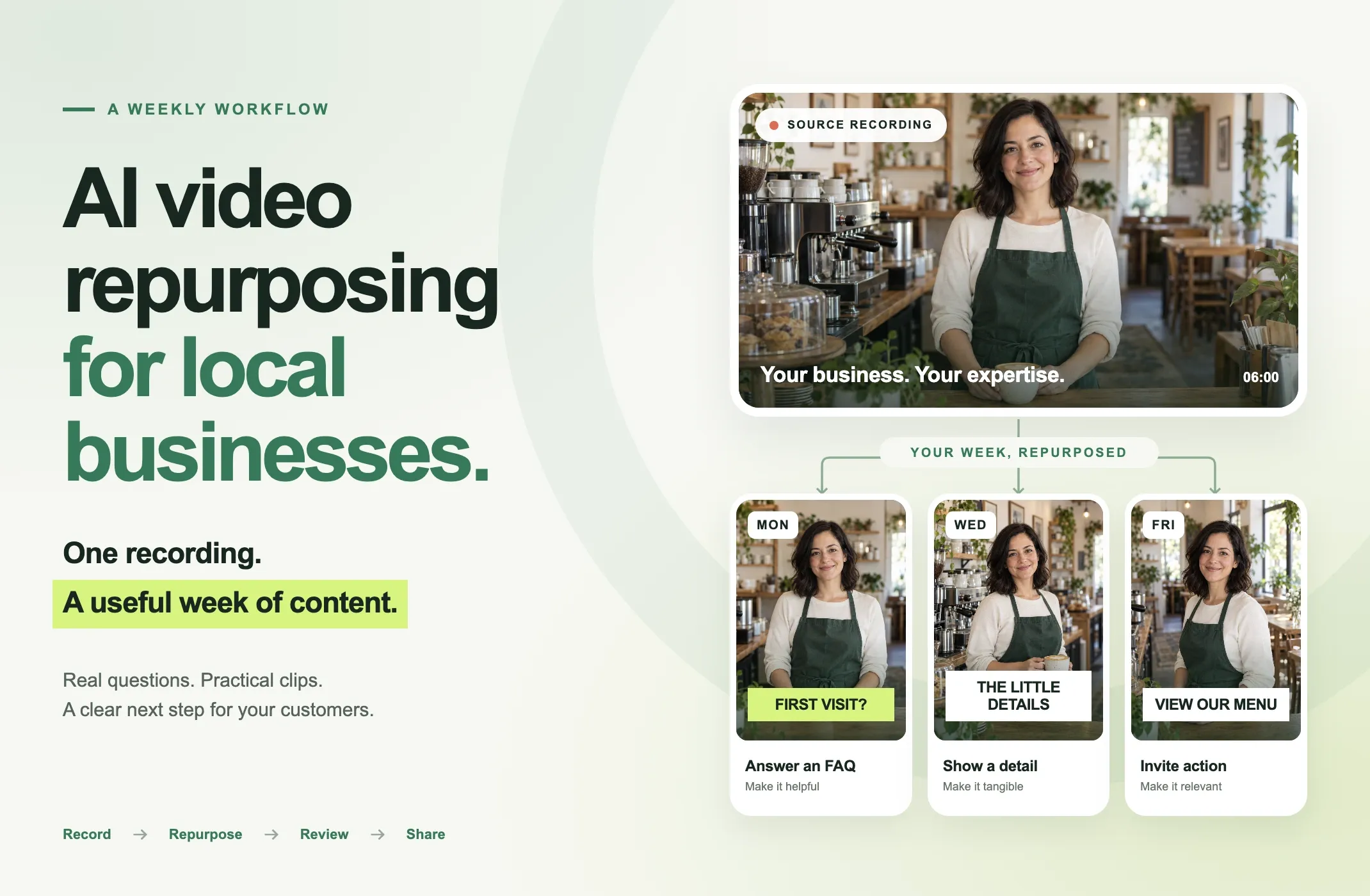
A Simple Weekly Video Marketing Plan for a Small Business
You do not need to publish every day.
Here is a practical example.
Monday: Answer a Customer Question
Choose one question people regularly ask before buying.
Examples:
- "How long does the appointment take?"
- "Do I need to book in advance?"
- "Is this suitable for beginners?"
Wednesday: Demonstrate One Detail
Show a service step, product feature, preparation method, property feature, or safe maintenance check.
Keep the explanation focused.
Friday: Explain the Next Step
Create a clip around how to book, what to prepare, how to request a quote, how to check availability, or how to arrange a viewing.
Optional Weekend Post: Show the People or Process
A genuine behind-the-scenes clip can introduce the team, workspace, preparation, process, or a real event.
This schedule is only a starting example.
If you only have one strong video that week, publish one strong video.
Three useful clips are better than ten repetitive fragments.
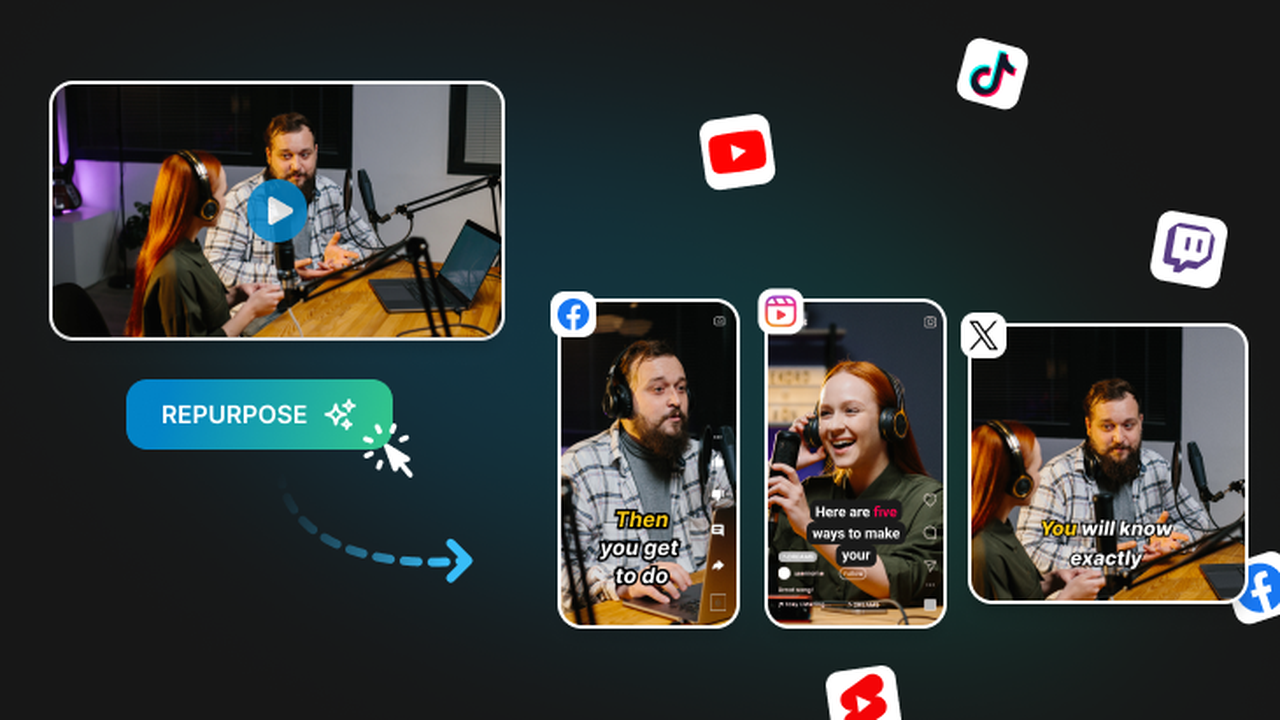
Repurpose Social Media Content Without Posting the Same Thing Everywhere
Repurposing does not require identical publishing.
The same useful moment can be adapted.
For example, a 45-second service explanation might become:
Instagram Reel: portrait video with captions and a short local CTA.
YouTube Short: the same core explanation with a title focused on the customer question.
TikTok: a concise opening and platform-appropriate publishing copy.
LinkedIn: a business-oriented version if the topic genuinely fits a professional audience.
The core message can stay consistent while the presentation changes.
Avoid copying irrelevant platform conventions just because a clip exists.
How to Measure Results Beyond Views
For local video marketing, separate content performance from business outcomes.
Content Metrics
Track:
- views;
- average watch time;
- retention;
- shares;
- saves;
- comments;
- profile visits.
These help you understand whether the content itself holds attention.
Business Metrics
Track:
- website visits;
- calls;
- direct messages;
- booking-page visits;
- enquiry forms;
- quote requests;
- reservations;
- appointments;
- coupon or offer redemptions;
- sales when attribution is reasonably available.
Use Trackable Next Steps Where Practical
You may be able to use:
- tagged website links;
- dedicated landing pages;
- booking links;
- enquiry sources in your CRM;
- offer codes;
- "How did you hear about us?" fields.
Do not overstate attribution.
A customer may see several videos before taking action.
Views and Business Value Are Not the Same Thing
Imagine two clips:
Clip A: 50,000 views, mostly from people outside the service area, no measurable enquiries.
Clip B: 2,000 views, several qualified messages and two bookings.
For many local businesses, Clip B may be more useful.
The objective is not the largest possible view count. It is useful attention from people who could realistically become customers.
Common AI Video Repurposing Mistakes
Publishing Every AI-Generated Candidate
Not every generated clip deserves to be posted.
Fix: review each candidate and keep only the ones that stand on their own.
Cutting Away Important Context
A shortened answer can change meaning.
Fix: make sure the clip includes the necessary setup and complete conclusion.
Using Expired Prices or Offers
Repurposed footage can outlive an offer.
Fix: check every time-sensitive detail before publishing.
Fabricating Local Relevance
Adding a popular city or neighbourhood you do not serve can mislead viewers.
Fix: only use genuine locations and service areas.
Treating Testimonials as Raw Material Without Permission
Customer content involves rights and trust.
Fix: get appropriate permission and preserve the speaker's meaning.
Assuming AI Captions Are Final
Names and numbers can still be wrong.
Fix: review the transcript before export.
Overloading Every Clip with Branding
A giant logo and constant promotional text can make the useful content harder to watch.
Fix: use consistent but restrained branding.
Treating "More Clips" as the Objective
More output does not equal more value.
Fix: optimize for useful, distinct videos rather than a fixed clip count.
Pre-Publication Checklist
Before publishing a local-business clip, check:
- Does the clip answer one clear question or show one useful point?
- Does it make sense without the full original video?
- Are names and business details correct?
- Are prices, dates, offers, and opening information current?
- Are captions accurate?
- Is the framing correct?
- Is the important subject visible?
- Is the local reference genuine?
- Do you have permission for identifiable customers or private spaces?
- Does the CTA match what the business can actually provide?
- Is translated text accurate if translation was used?
- Does the clip preserve the speaker's meaning?
- Have you watched the final export?
- Is the publishing destination appropriate?
Where Reap Fits in a Local Business Workflow
Reap is most useful after the business has something real to say or show.
It does not replace:
- the customer's question;
- the business owner's expertise;
- the real service;
- source verification;
- permission;
- human review;
- the final publishing decision.
It can reduce the repetitive editing work between the source recording and the finished social clip.
AI Clipping
Use Reap AI Clipping to generate candidate moments from longer business recordings.
Captions
Add and review on-video captions before publishing.
For a dedicated workflow, see Reap AI Captions.
Reframing
Turn suitable landscape footage into portrait or square output and review the crop before export.
Brand Templates
Use Brand Templates to keep supported projects visually consistent.
Translation
If a business serves audiences who use different languages, translated captions can be added where appropriate.
Keep caption translation separate from voice dubbing. Translation changes the written captions, while dubbing changes the spoken audio.
Publishing
After final review, export the videos or use Reap's social media scheduler with supported connected accounts.
A practical Reap workflow can look like:
recorded FAQ -> AI clip candidates -> human selection -> captions -> reframe -> Brand Template -> local CTA -> final review -> export or schedule
If you only have a short finished clip, direct captioning or editing may be enough. You do not need to force every video through AI clipping.
The Bottom Line
AI video repurposing is most useful for a local business when it starts with real business knowledge and ends with a clear customer next step.
You do not need a new idea for every post.
Record useful FAQs, demonstrations, walkthroughs, and real conversations. Turn the strongest moments into focused clips. Check the captions and context. Add an accurate local reference when it helps. Keep the branding consistent. Then measure whether the content contributes to calls, messages, bookings, or other qualified enquiries.
Have a recorded walkthrough or FAQ? Try turning it into a few short clips with Reap AI Clipping, then review the captions, framing, and message before you publish.