If you’re comparing Reap and Submagic, you’re not alone. Both tools promise to help creators produce short-form content faster using AI; clipping, captions, and editing to publish Shorts, Reels, and TikToks.
But while the core workflows overlap, the real difference is what happens after the first draft is generated.
Submagic is strong for caption-first editing with preset styles and fast polish.
Reap matches those core capabilities and goes further with a more flexible editor, freer caption control, voiceover/dubbing workflows, and an end-to-end system built for scale.
This guide compares features 1:1 and explains why Reap is the better choice for most creators who want control and consistent output.
Quick verdict
If your goal is to make one clip look good quickly, both Reap and Submagic can work.
If your goal is to repurpose long videos into many clips, edit with full control, localize with voice, and publish consistently, Reap is the stronger, more complete platform.
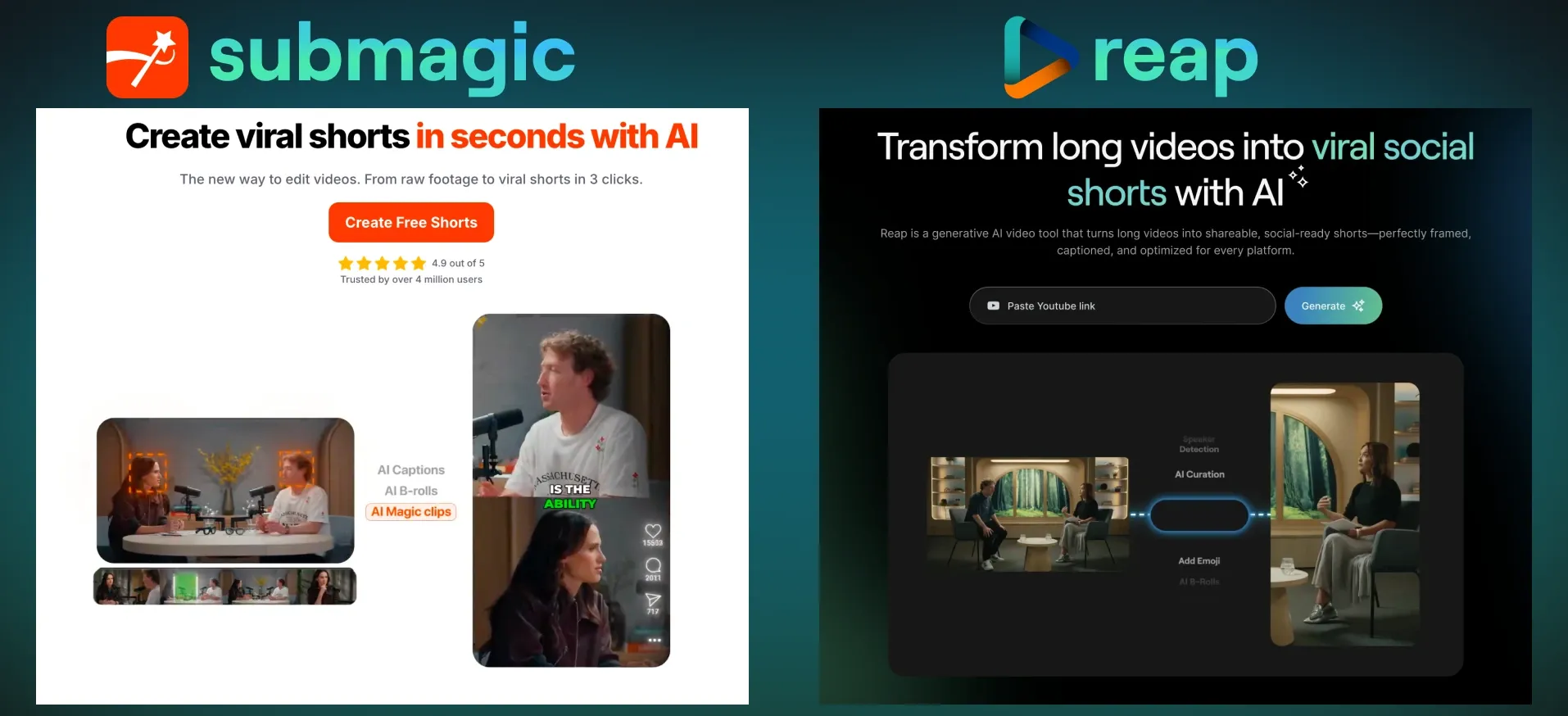
submagic vs reap: 1:1 feature comparison
| Feature | Reap | Submagic |
|---|---|---|
| Core workflow | AI repurposing: create → edit → publish | AI auto-edit: create → style → export |
| Long-video clipping | ✅ Multi-clip extraction designed for repurposing | ✅ Magic Clips supported |
| Editing flexibility | ✅ Full editor with deep control | Preset-guided editing + manual tweaks |
| Captions (overall) | ✅ Strong + highly customizable | ✅ Strong preset caption styles |
| Caption positioning | ✅ Freeform — move captions anywhere on screen | ✅ Draggable but limited to top/middle/bottom zones |
| Caption control at scale | ✅ Apply consistent rules across many clips | Style-first workflows per clip |
| Voiceover | ✅ Voiceover for repurposed clips | Avatar/script voice workflows (AI actors) |
| Dubbing / localization | ✅ Audio dubbing & localization workflows | Subtitle translation (not audio dubbing) |
| Batch workflow | ✅ Built for batch output + iteration | Batch creation supported, less iterative control |
| Scheduling / publishing | ✅ Built-in scheduling workflow | ❌ Not available |
| Auto-reframe (multi-platform) | ✅ Auto safe-zone reframing (9:16, 1:1, 16:9) | ❌ Not available |
| Best for | Scaling consistent short-form content | Quick styling & captions for single clips |
Bottom line: Both can help you generate clips and captions. Reap wins on flexibility, editing depth, caption placement freedom, localization, and publishing workflow.
1) Clipping from long videos: both do it, Reap is built around it
Both Reap and Submagic support clipping long videos into short clips. The difference is how the workflow is designed.
With Submagic, long-video clipping feeds into an auto-edit pipeline fast styling, effects, captions, export.
With Reap, long-video clipping is the first step in a repurposing system:
- extract multiple clips
- refine them in a flexible editor
- apply brand/caption rules across the batch
- optionally localize with voiceover/dubbing
- schedule content consistently
If you’re producing content weekly (or daily), that “system” approach matters because it reduces rework and tool-switching.
2) Editor flexibility: this is where Reap clearly pulls ahead
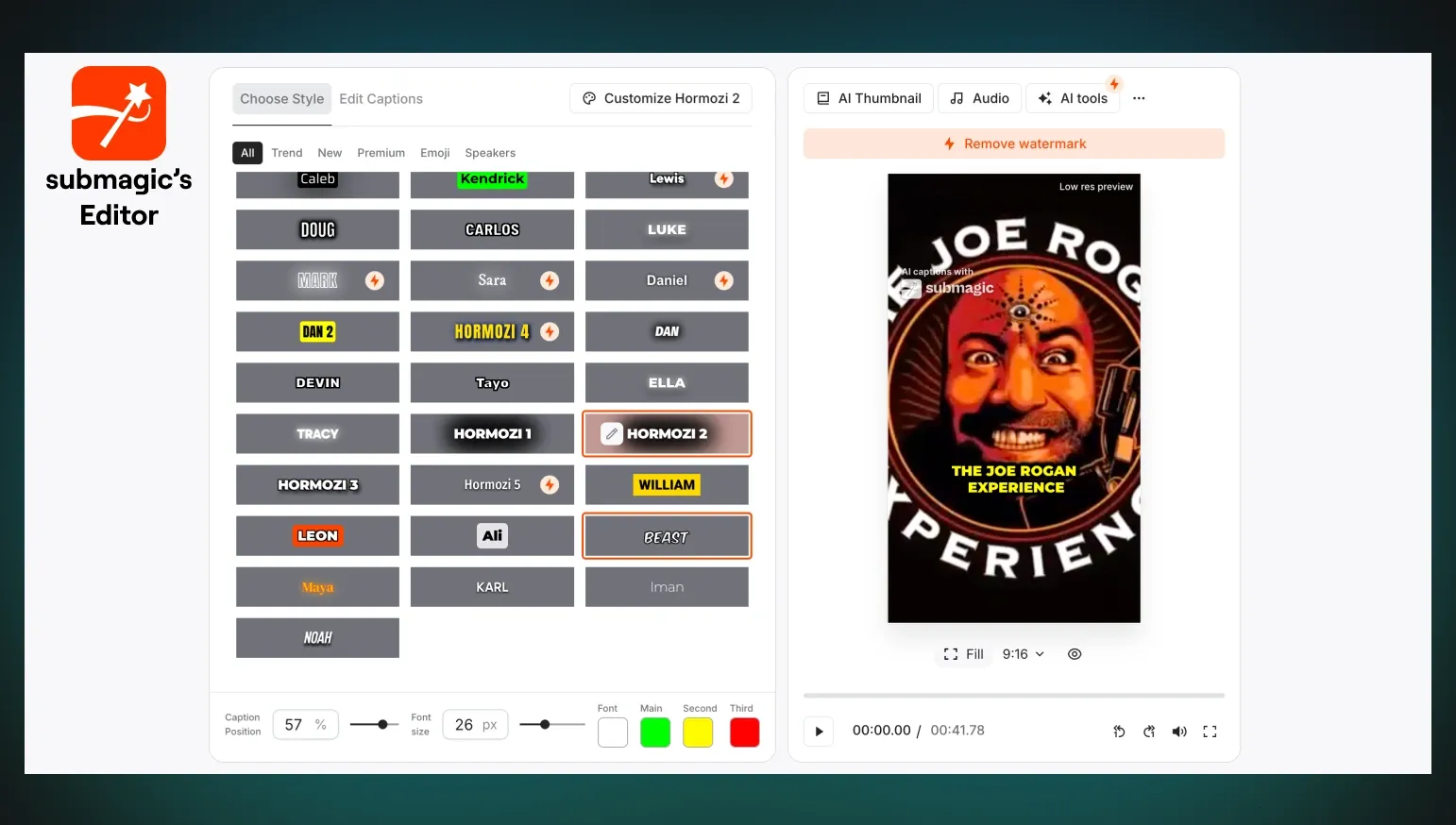
Submagic is optimized for preset-driven styling.
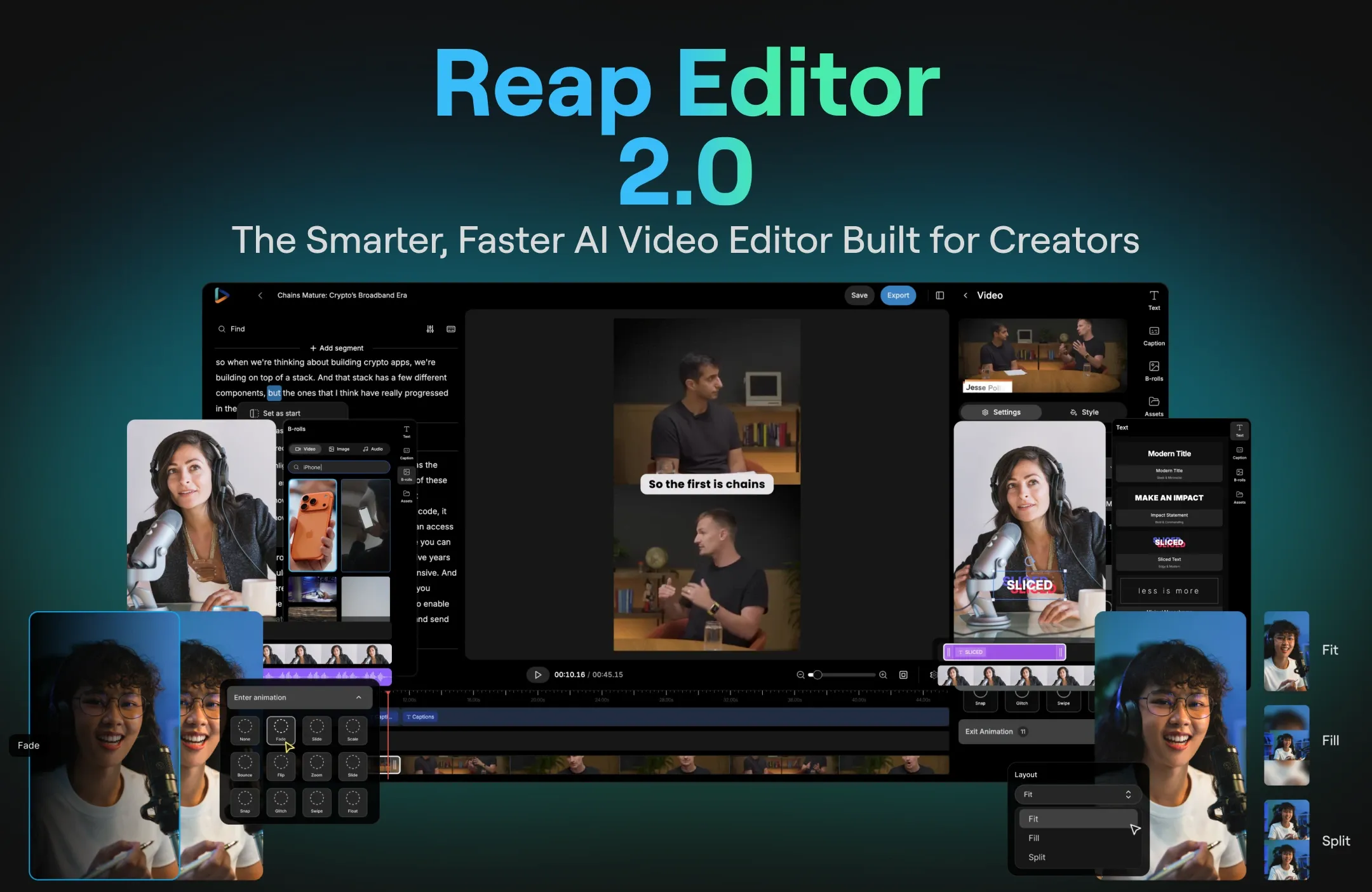
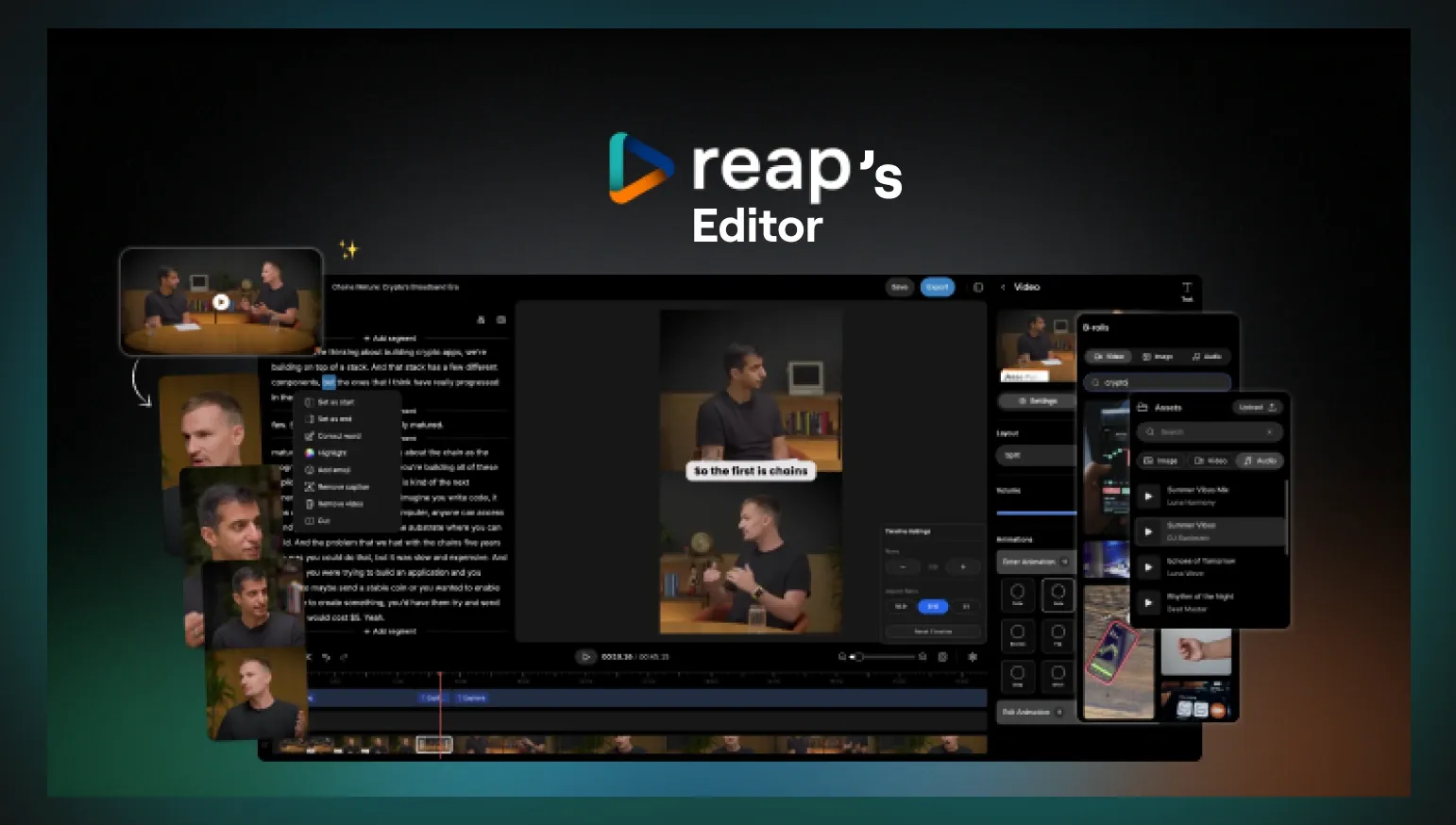
Reap provides a full editor designed for repurposing workflows, which gives you more control once clips are generated:
- clip-level refinement without being locked to rigid styles
- layout and framing adjustments designed for Shorts/Reels/TikTok
- the ability to iterate across many clips without redoing your workflow
If you scale content output, editing control becomes the difference between “a tool” and “a production system.” Reap feels closer to a real editing workflow.
3) Auto Reframe: a major workflow advantage for repurposing
One of the biggest time-wasters in short-form repurposing is reformatting the same clip for different platforms. A video that looks fine in one format can look awkward in another if the framing isn’t adjusted.
Reap includes Auto Reframe, reframes the video without clipping. Automatically adapts your clip into the right framing for vertical formats like Shorts, Reels, and TikTok so the main subject stays centered and the content doesn’t feel “cropped wrong.” This matters most when you’re repurposing long-form content (podcasts, interviews, webinars) into dozens of short clips.
Submagic supports editing and style-driven layouts, but it doesn’t position a dedicated Auto Reframe workflow in the same way. For creators who publish across multiple platforms, Auto Reframe becomes a compounding advantage because it removes repetitive manual resizing and framing adjustments.
Why Auto Reframe matters in real workflows:
- Podcast clips: keeps speakers framed properly in vertical
- Webinars/screen shares: prevents awkward crops and missed context
- Interviews: helps maintain balanced framing across speakers
- Multi-platform posting: makes reuse across Shorts/Reels/TikTok much faster
If your content output depends on repurposing efficiently, Auto Reframe is one of those “quiet features” that saves hours over time.
4) Captions: Submagic is known for styles; Reap is better for flexibility
Submagic has strong caption styles for creators who want preset-driven captions.
Reap is now the stronger option when you need caption flexibility across different formats:
- deeper control over how captions behave inside a repurposing workflow
- better fit for varied layouts (podcasts, interviews, screen recordings)
- consistent handling when you’re producing multiple clips from one long video
If you want “pick a style and go,” Submagic is good. If you want a system that keeps captions correct across a large output volume, Reap is better.
5) Caption positioning: zones vs full freeform control
Both tools allow you to move captions, but the difference is real and practical:
- Submagic: captions are draggable but constrained to top / middle / bottom positions
- Reap: captions can be placed anywhere on the screen, with true freeform control
That matters because:
- interviews and podcasts often need captions to avoid faces
- gaming and screen recordings need captions away from UI
- different platforms require different “safe zones”
- the same clip may need different caption placement in different layouts
This is one of the most visible “day-to-day” advantages where Reap simply gives more control.
6) Voiceover and dubbing: Reap goes beyond captions
Submagic offers avatar + voice workflows in its AI actors feature and supports subtitle translation.
Reap’s advantage is that voice workflows apply directly to your repurposed clips:
- add voiceover to existing clips as part of the workflow
- localize content using dubbing-like workflows when you want to reach new markets
- keep everything connected to your repurposing pipeline
If you’re scaling a channel, localization isn’t a nice-to-have, it’s leverage. Reap supports that expansion more naturally.
7) Publishing workflow: Reap wins by eliminating extra tools
Most creators don’t fail because they can’t create one clip. They fail because they can’t publish consistently.
This is where Reap becomes a stronger competitor:
- create clips
- edit with full control
- apply consistent captions/branding
- schedule posts
Submagic focuses on editing and export. Reap covers the full pipeline. If you care about consistency, Reap saves time simply by removing steps.
Who should choose Submagic?
Submagic can be a fit if you:
- mainly work on individual clips
- want preset-driven caption styles
- don’t need scheduling or localization workflows
Who should choose Reap?
Reap is the better choice if you:
- repurpose long videos regularly (podcasts, webinars, courses, interviews)
- want full editor control without rigid style constraints
- need captions you can position anywhere on the screen
- want voiceover/dubbing workflows as part of repurposing
- plan to publish consistently and schedule content
- care about scaling output rather than finishing one clip at a time
- Reframe full length videos
Reap is the stronger all-in-one competitor
Reap and Submagic compete directly on AI clipping and captions. The deciding factor is flexibility and workflow completeness.
If you want a tool that can generate clips, then gives you full control over editing, captions, voice workflows, auto reframe, and scheduling, Reap is the better platform especially if you’re serious about consistent growth.
👉 Try Reap and turn one long video into weeks of content.
reap functions as a complete AI video editor and repurposing platform. It automatically generates subtitles, supports branded templates, offers AI voice dubbing and transcript‑based editing to remove filler words, and reframes for different aspect ratios. With multi‑language captions and built‑in scheduling, Reap consolidates tools like reels maker, dubbers and voice‑cloning software into one simple workflow.