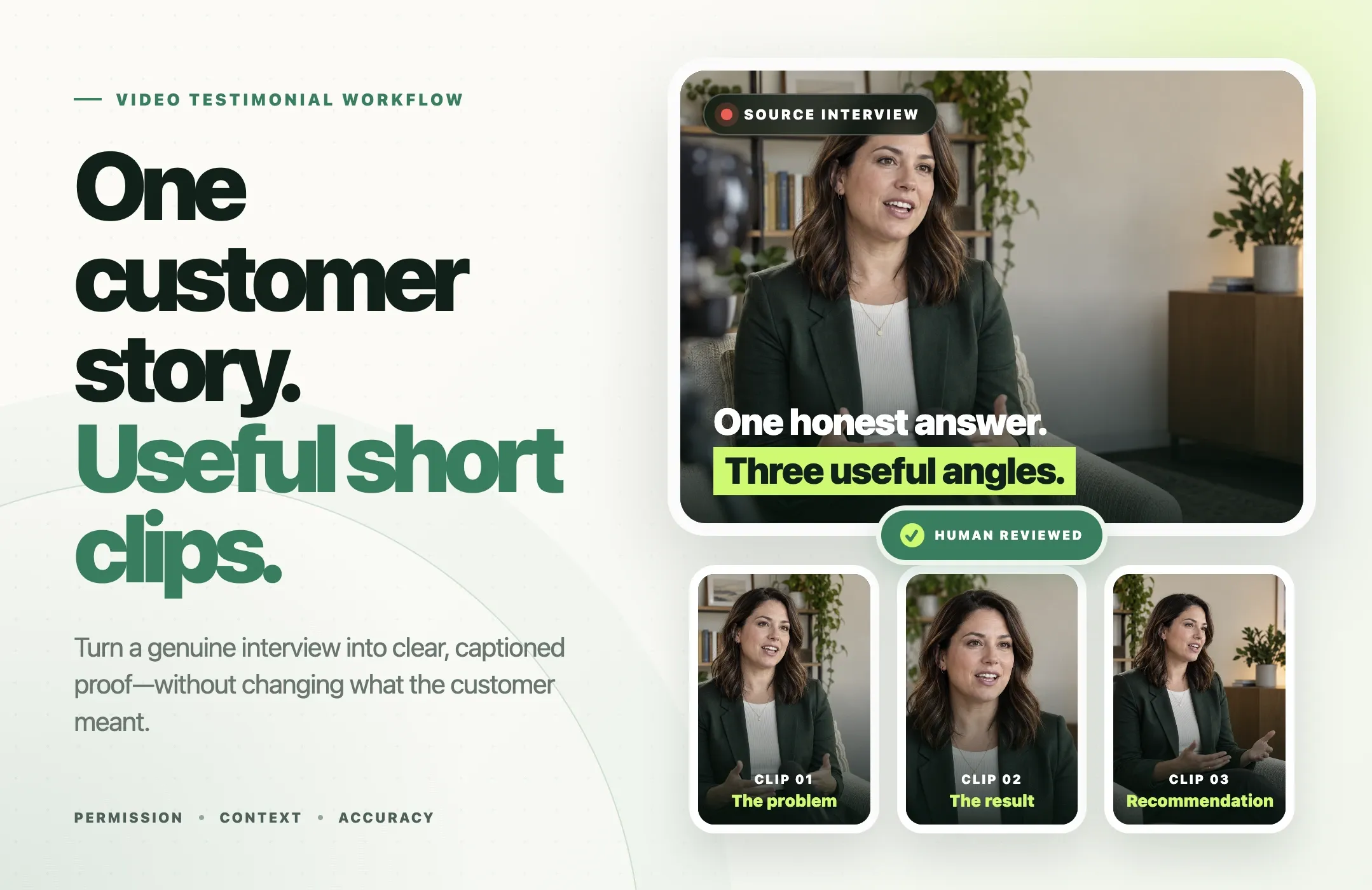
A good video testimonial is not just a positive customer quote cut into a vertical frame.
It is a real customer's experience, edited accurately enough that the original meaning survives the cut.
If you already have a customer interview, webinar appearance, case-study recording, or testimonial call, you can often turn that source into several useful short videos. The workflow is straightforward: confirm permission, choose one buyer question per clip, find candidate moments, review the context, correct captions, reframe for the destination, and approve the final edit before publishing.
AI can speed up the production work. It should not decide whether a customer claim is true, whether permission covers paid use, or whether an edit preserves the speaker's meaning.
This guide shows how to turn genuine customer footage into accurate short testimonial videos using Reap, while keeping human review at the center of the process.
Quick Answer: How Do You Turn a Customer Testimonial Into Short Videos?
To turn a customer testimonial into short videos:
- Confirm permission for the intended channels and edits.
- Choose one buyer question for each clip.
- Use an AI clipping tool to find candidate moments in the longer recording.
- Review the original context before accepting a cut.
- Tighten pauses and repetition without changing the meaning.
- Correct captions and verify factual claims.
- Reframe the clip for the platform.
- Add restrained branding and one relevant CTA.
- Complete a human review before publishing.
If the source interview contains several distinct, complete answers, one recording can support multiple clips. If it contains only one strong idea, publish one strong clip rather than forcing more output.
What Is a Video Testimonial?
A video testimonial is a recorded statement from a real customer or client describing their experience with a product, service, company, or outcome.
It is related to several other formats, but they are not identical.
|
Format |
What it usually contains |
Typical use |
|---|---|---|
|
Video testimonial |
Customer explains a problem, experience, result, or recommendation |
Landing pages, social proof, sales, social clips |
|
Customer success story |
Longer narrative with problem, implementation, evidence, and outcome |
Case studies, sales enablement, webinars |
|
Video review |
Customer evaluates a product, often more independently and critically |
Product research, marketplaces, creator content |
|
UGC video |
Broad user-created content, which may include demos, reactions, tutorials, or lifestyle footage |
Organic social, paid creative, community content |
A customer testimonial video can be a form of user-generated content, but UGC video is much broader. A product unboxing, creator tutorial, or meme can be UGC without being a testimonial.
Likewise, a customer success story is usually more detailed than a short testimonial. It may include implementation, data, quotes from multiple stakeholders, and background that would not fit in a 30 to 60 second clip.
Before You Edit: Permission, Accuracy, and Usage Rights
The most important step happens before the first cut.
Make sure you have permission to use the customer's face, voice, name, company, and statements in the places you plan to publish them.
Confirm the intended use
Permission for a customer case study on your website may not automatically cover:
- paid social ads;
- retargeting;
- YouTube Shorts;
- Instagram Reels;
- TikTok;
- LinkedIn;
- sales presentations;
- email campaigns;
- edited excerpts;
- translated captions.
Your release or written approval should match the intended use.
Explain that the footage may be edited
Short-form repurposing usually requires trimming, reframing, captioning, resizing, excerpting, adding a name or title card, and adding branding.
Make sure the customer understands that their original interview may be turned into shorter edits.
Preserve the speaker's meaning
This matters more than making the clip punchier.
Suppose the customer says:
"We cut our editing time in half after three months, once the team had standardized the workflow."
A misleading edit would be:
"We cut our editing time in half."
The shorter version removes conditions that may materially change the claim.
AI can help find the sentence. A human still needs to decide whether the excerpt is fair.
Verify measurable claims
If a customer mentions revenue, time saved, conversion rate, cost reduction, number of users, growth rate, or performance improvement, confirm that the figure is accurate and approved for publication.
Do not strengthen a vague customer statement into a precise marketing claim.
Testimonial Video Questions That Produce Useful Clips
The easiest testimonial videos to repurpose usually come from interviews with clear questions.
You do not need to script the customer's answer. You need questions that invite a complete response.
1. What problem were you trying to solve?
This gives you the "before" state.
Useful follow-up:
"What was difficult about the old process?"
2. What had you tried before?
This can produce an objection or switching clip.
Useful follow-up:
"Why did that approach stop working for you?"
3. Why did you choose this product?
This creates a decision-stage clip.
Useful follow-up:
"What made you confident enough to try it?"
4. What changed after you started using it?
This can produce an outcome clip without forcing a number.
Useful follow-up:
"What changed in your day-to-day workflow?"
5. Can you describe one specific result?
Use this when the customer has a real, supportable example.
Do not feed them the result you want.
Instead of:
"Would you say this saved you 10 hours a week?"
ask:
"Was there a measurable change in time, cost, output, or quality?"
6. What would you tell someone considering it?
This often produces a natural recommendation or qualification.
A useful testimonial can include nuance. It does not need to sound like an ad.
How to Turn a Customer Interview Into Short Testimonial Videos
The goal is not to create as many clips as possible.
The goal is to turn one source interview into a set of accurate clips that answer different buyer questions.
1. Choose one buyer question for each clip
Start with the job the clip needs to do.
Examples:
- What problem does this solve?
- Why did the customer switch?
- What changed after implementation?
- What objection did they have?
- Who would they recommend it to?
- What specific workflow improved?
Each clip should answer one primary question.
2. Add the recording to Reap
Use Reap AI Clipping with a supported uploaded file or source link.
For a customer interview, choose the output format and clip-length range that fits the intended destination.
If the interview is long, process the relevant section rather than assuming every minute contains publishable material.
3. Guide clip discovery around the buyer problem
Reap can use topics to help focus clip discovery.
For example, you might guide the selection toward:
- initial pain point;
- why they switched;
- onboarding experience;
- measurable result;
- product feature;
- objection;
- recommendation.
This helps narrow the candidate moments.
It does not verify whether the customer's statement is true or whether you have permission to use it.
4. Review every candidate clip
Treat generated clips as suggestions.
Check the lines immediately before and after the selected moment.
Ask:
- Does the clip still mean what the customer meant?
- Is a qualification missing?
- Does a pronoun depend on earlier context?
- Is the company or product being identified correctly?
- Does the ending complete the thought?
- Is the opening understandable to someone who never saw the full interview?
Reject clips that require too much missing context.
5. Tighten the edit without changing the meaning
Transcript-based editing can help remove repeated words, long pauses, false starts, irrelevant setup, and tangents.
Keep enough context for the statement to remain accurate.
If the customer says "for our use case," do not remove those words if they limit the claim.
6. Correct the captions
Use Reap AI Captions to review and refine the subtitles.
Pay special attention to:
- customer's name;
- job title;
- company;
- product names;
- numbers;
- dates;
- technical terms;
- industry terminology.
Captions should also stay clear of faces, product UI, or other important visual areas.
7. Reframe for the destination
Use automatic video reframing when the source orientation does not match the destination.
Typical output choices include:
- 9:16 for YouTube Shorts, Reels, and TikTok;
- 1:1 when a square feed format makes sense;
- 16:9 for YouTube, landing pages, presentations, or sales enablement.
Inspect the crop manually.
Automated framing can follow a speaker, but a second person, screen, product, or demonstration may become more important later in the clip.
8. Add restrained branding and one CTA
A testimonial should still feel like the customer's voice.
Useful additions include a name and title, company, subtle logo, consistent caption style, and one relevant CTA.
Avoid turning the frame into a promotional poster.
The CTA should match the viewer's stage.
Discovery: See how the workflow works.
Evaluation: Watch the full customer story.
Decision: See the product in action.
9. Complete the human review
Before publishing, review permission, original context, factual claims, captions, crop, name and title, CTA, brand treatment, required disclosures, and destination-specific requirements.
If the customer approval process requires final sign-off, complete it at this stage.
10. Export and publish
Export the appropriate format for the destination.
After approval, distribute the clip where it actually supports the buyer journey rather than posting every testimonial everywhere.
Worked Example: One Interview, Five Useful Clips
The example below is illustrative. It is not based on an actual Reap customer or documented result.
Imagine a 25-minute interview with a customer discussing how their team changed its video workflow.
|
Clip |
Buyer question answered |
Example hook |
Best use |
|---|---|---|---|
|
The problem |
"Is this problem familiar?" |
"We were spending hours preparing every episode..." |
Reels / awareness |
|
Why they switched |
"Why this solution?" |
"The turning point was when..." |
LinkedIn / consideration |
|
Specific result |
"What changed?" |
"The biggest difference was..." |
Landing page / sales |
|
Objection handled |
"Will this work for us?" |
"I assumed setup would be difficult..." |
Email / retargeting |
|
Recommendation |
"Who is it for?" |
"I'd recommend it to teams that..." |
Website / product page |
Notice that none of these clips requires an invented statistic.
Each angle comes from a different buyer question.
If the customer never discussed an objection, do not manufacture an objection clip. If they did not provide a measurable result, do not create one through captions or editing.
Testimonial Video Editing Checklist
Before approving a customer testimonial clip:
- Permission covers the intended use.
- The customer's name, title, and company are accurate.
- The clip preserves the original meaning.
- Important conditions and qualifications remain attached to the claim.
- Measurable claims are verified.
- Captions have been corrected manually.
- The crop keeps the important subject visible.
- The hook is supported by the customer's actual statement.
- Branding does not overpower the customer.
- The CTA matches the viewer's stage.
- Required sponsorship, incentive, or relationship disclosures are included.
- A human has reviewed the final export.
Where to Use Testimonial Videos
Different testimonial clips can do different jobs.
YouTube Shorts, Instagram Reels, and TikTok
Use short, complete customer insights for discovery.
Good clip types include one pain point, one "why we switched" answer, one useful lesson, one concise result, or one recommendation.
Do not make the viewer watch a hollow teaser.
LinkedIn is often a better home for B2B context.
Pair a customer clip with written context explaining the buyer problem, workflow, lesson, or what changed.
Founder or employee commentary can also help frame the clip without rewriting what the customer said.
Product and landing pages
Video testimonials on your website can support evaluation when they answer a real buyer question.
For example:
Pricing page: value or ROI concern
Feature page: workflow or product-use proof
Industry page: relevant use case
Homepage: broader customer outcome
Case-study page: deeper customer story
Do not place the same generic quote on every page.
Sales emails and enablement
A short clip can help a sales team answer a specific objection.
Examples include implementation, ease of use, migration, support, and workflow fit.
The best clip is the one relevant to the current buyer conversation.
Paid social
Only use testimonial footage in paid advertising when the customer's permission clearly covers advertising use.
Also review any platform-specific disclosure requirements and the context around performance claims.
How to Measure Testimonial Video Performance
Views can tell you whether people encountered the content.
They do not tell you whether the testimonial helped a buying decision.
Measure both attention and business outcomes.
Attention metrics
Depending on the platform, useful metrics may include:
- initial views;
- average view duration;
- average percentage viewed;
- completion rate;
- retention drop-offs;
- saves;
- shares;
- profile visits.
Business metrics
For commercially important testimonial clips, track:
- qualified website sessions;
- landing-page engagement;
- product-page visits;
- demo requests;
- trial or signup assists;
- assisted conversions;
- sales-team usage;
- opportunities where testimonial content was used.
Use UTMs when the link leaves the platform
For a LinkedIn testimonial clip pointing to a customer story, you might use:
?utm_source=linkedin&utm_medium=organic_social&utm_campaign=customer_story&utm_content=objection_clip
The naming system matters less than consistency.
Use the same structure across clips so you can compare which source and message drove useful visits.
Avoid treating views alone as proof that the testimonial "converted."
When Not to Publish a Testimonial Clip
Do not publish the clip if:
- permission is unclear;
- the intended channel is outside the customer's approval;
- trimming changes the customer's meaning;
- a measurable claim cannot be verified;
- the customer reveals confidential information;
- the customer identifies another person or company inappropriately;
- the caption materially misstates the audio;
- the crop makes the video confusing;
- the hook exaggerates what the customer actually said;
- required disclosure is missing.
Sometimes the correct editorial decision is to keep the moment in the full interview and not turn it into a Short.
How Reap Supports a Testimonial Video Workflow
Reap is most useful here as the production and repurposing layer around genuine customer footage.
The workflow can include:
Customer interview -> candidate clips -> human review -> transcript edit -> captions -> reframing -> branding -> approval -> publish
Current Reap capabilities relevant to this workflow include:
- AI clipping from supported long-form sources;
- topic-guided clip discovery;
- transcript-based trimming and text correction;
- AI captions;
- portrait, square, and landscape output;
- automatic video reframing;
- speaker-aware tracking where appropriate;
- Brand Templates;
- caption translation when relevant;
- export for channel-specific publishing.
The software can help reduce repetitive production work.
The human reviewer remains responsible for permission, truthfulness, context, claims, customer identity, disclosures, and final approval.
AI should help edit a real testimonial, not fabricate a customer or turn a cautious statement into an endorsement the customer never made.
Final Thoughts
A useful customer testimonial is not defined by how "viral" it looks.
It is defined by whether a real customer says something useful, whether the edit preserves what they meant, and whether the clip reaches the viewer at the right point in their decision.
Start with permission.
Give each clip one buyer question.
Use AI to find and prepare candidate moments.
Review the source context.
Correct the captions.
Reframe for the destination.
Then approve the final export as a human.
If you already have customer interviews or testimonial recordings, Reap AI Clipping can help turn the source footage into candidate short clips that you can review, edit, caption, and reframe for different channels.
The goal is not to manufacture a stronger endorsement.
It is to make a genuine customer story easier to discover and easier to understand.